

.jpg)

Modern reporting, built for how you run jobs.
New Analytics & Analytics AI. Explore pre-built dashboards, ask your data questions, or build custom reporting when you need it.
.gif)

LOVE THIS TOOL. It is 1000x better than insights or classic reports. I’ve spent the last few hours chatting back and forth with the AI builder and creating custom dashboards that will save me HOURS of reporting/tracking work.
Cason Curriden
COO of Olympus Roofing


What makes JobNimbus
Analytics different
Just Ask
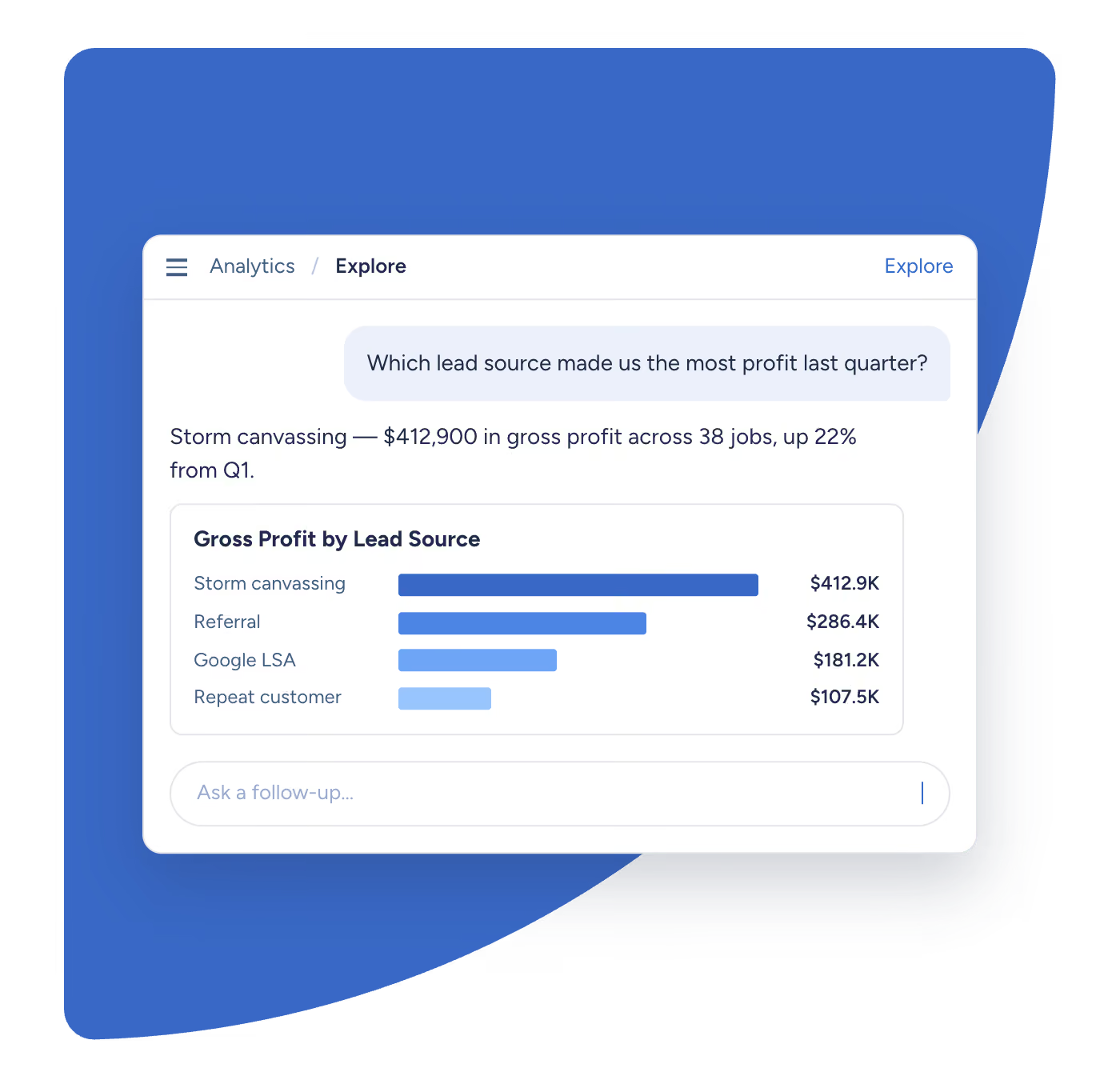
You shouldn't need an analyst on staff to understand your own business. Ask Analytics AI a question the way you'd ask a person, and get a straight answer back.
Grows with you
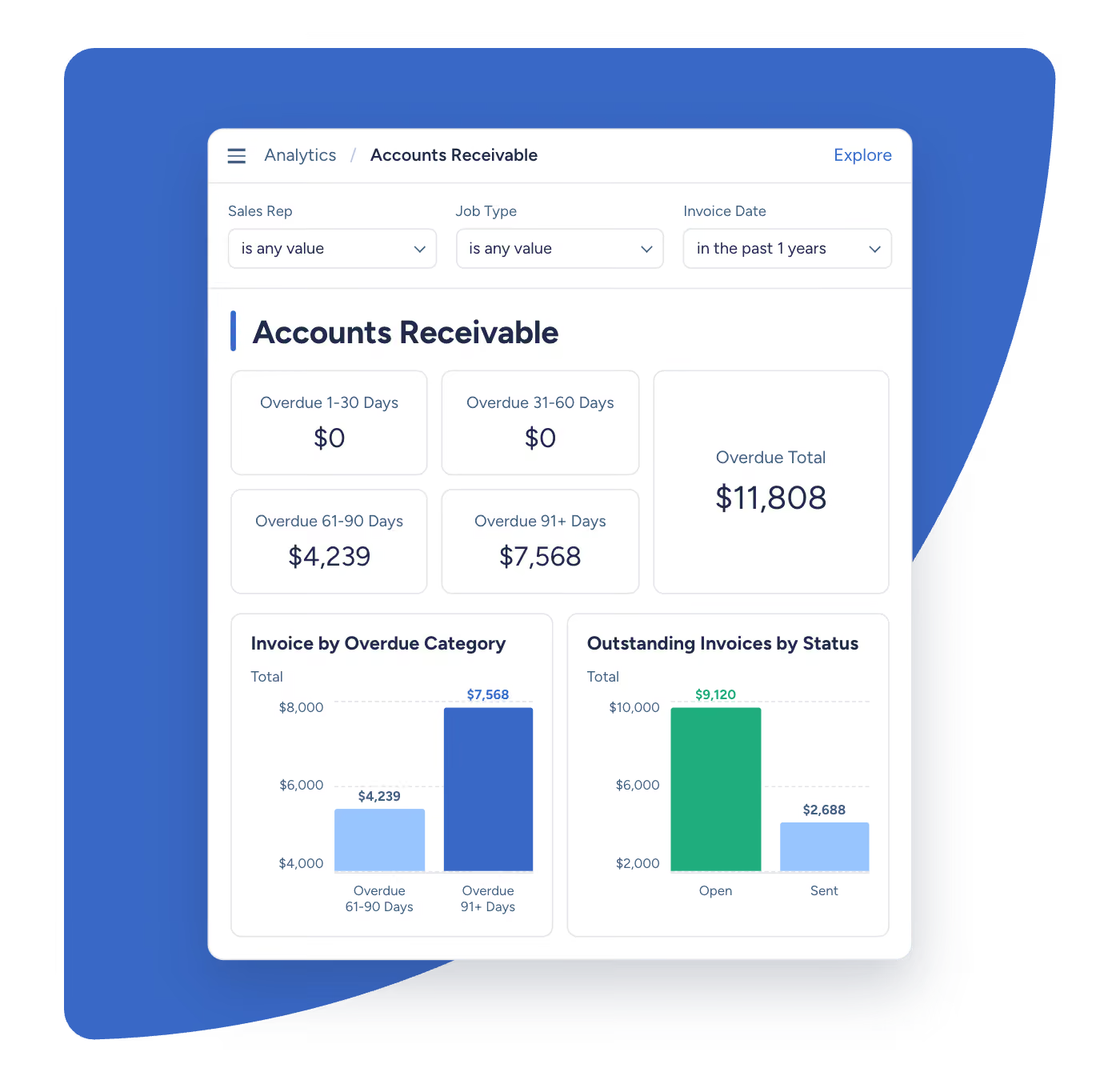
Analytics and Analytics AI are built to grow with you. Whether you just got your first truck or you're opening your twentieth location, the data holds up.
One source of truth
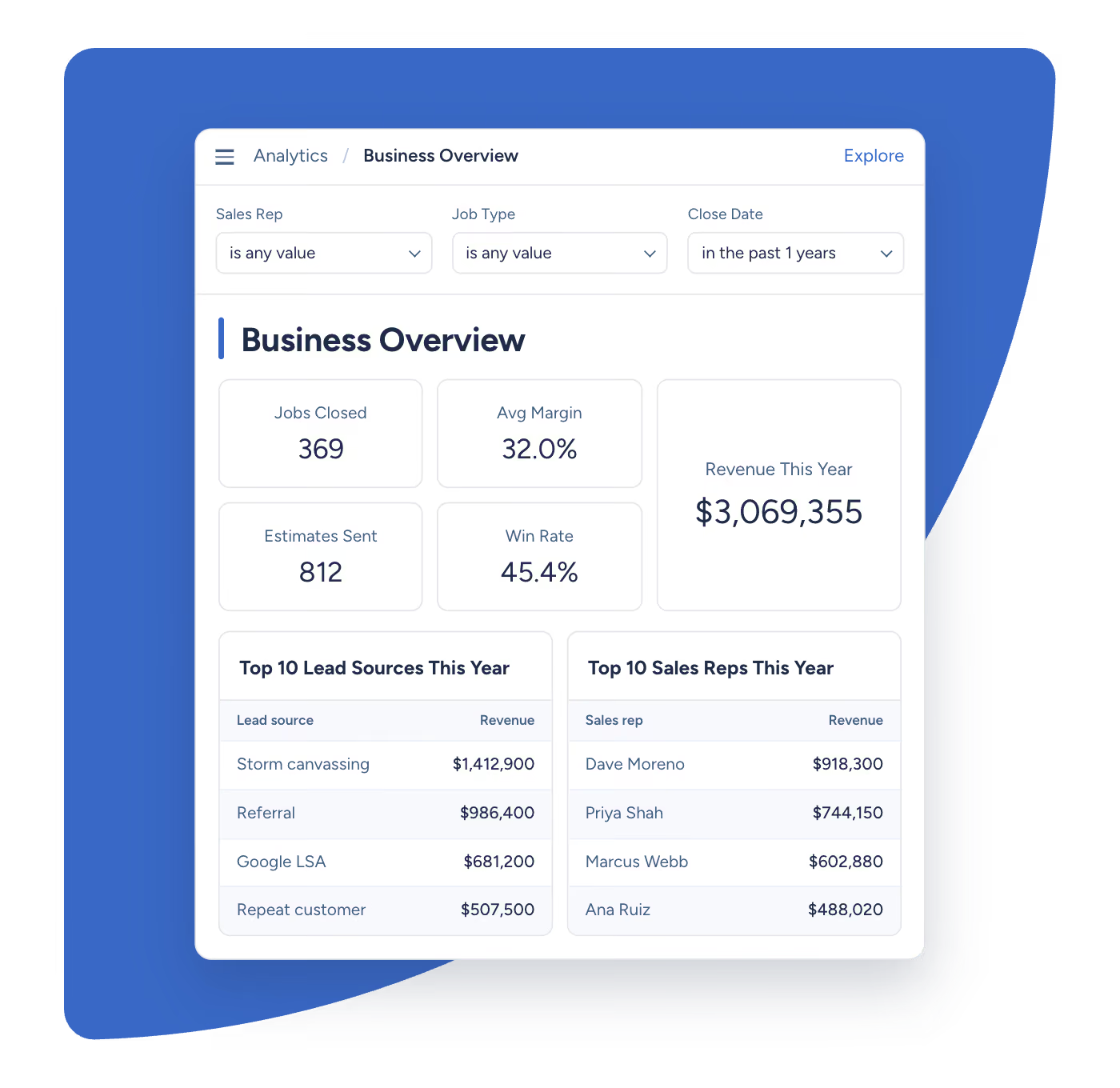
Every dashboard, every report, every number reads from the same trusted foundation. What you see is what's actually happening in your business.
Analytics is free.
Analytics AI unlocks answers.
Pre-built dashboards and reporting library. The reliable replacement for Insights.
Ask Analytics AI your data questions in plain language. Get reliable, actionable answers.
Custom dashboards and raw data access. Built for you by a JobNimbus analyst.
Put it to the test
Already have a reporting tool? Most of the businesses using Analytics AI today started the same way, exporting to spreadsheets, or running a separate BI tool just to get a straight answer.

Frequently
asked questions
Questions we hear most about Analytics and Analytics AI.
You’ll have a set of ready-to-go dashboards, including Accounts Receivable, Business Overview, Completed, Production, Profit Tracker, Sales, and Workflow.
Analytics AI answers questions in plain language on any plan. Analytics Enterprise adds a custom dashboard builder and raw data access.
Not on Analytics or Analytics AI. Viewer access lets your team see and explore dashboards; building new ones is part of Analytics Enterprise.
Yes. Analytics is free on every plan, no trial period, no add-ons required. Analytics AI and Analytics Enterprise require add-ons.
Analytics AI is included in your standard two-week JobNimbus free trial, so you can try it alongside the rest of the product at no extra cost.
Analytics refreshes every 1 hour, so what you’re looking at reflects what’s actually happening in JobNimbus.
Yes!
Yes. See something that looks off? Click on it and you’ll go straight to the jobs or records behind that number.
Yes. You can group your numbers however makes sense to you, by trade, lead source, rep, whatever you need.
Yes. Share a dashboard with just the people who need it. Dashboards are permission-based.
Yes. You can see how much revenue is coming from each lead source without having to build anything yourself.

